
For UK families and couples
Your family life, sorted.
One calm place for the family calendar, shopping lists, chores, meals, bills and money. Share it with everyone at home for free. Add Premium for you and your partner to get a smart assistant and money tools.
- Shared family calendar
- Shopping lists sorted by aisle
- Shared chores and to-dos
- Bill reminders on your phone
- Track money you owe
- An assistant you can just ask
 iPhone app coming soon · works now on any phone or computer
Everything in one place
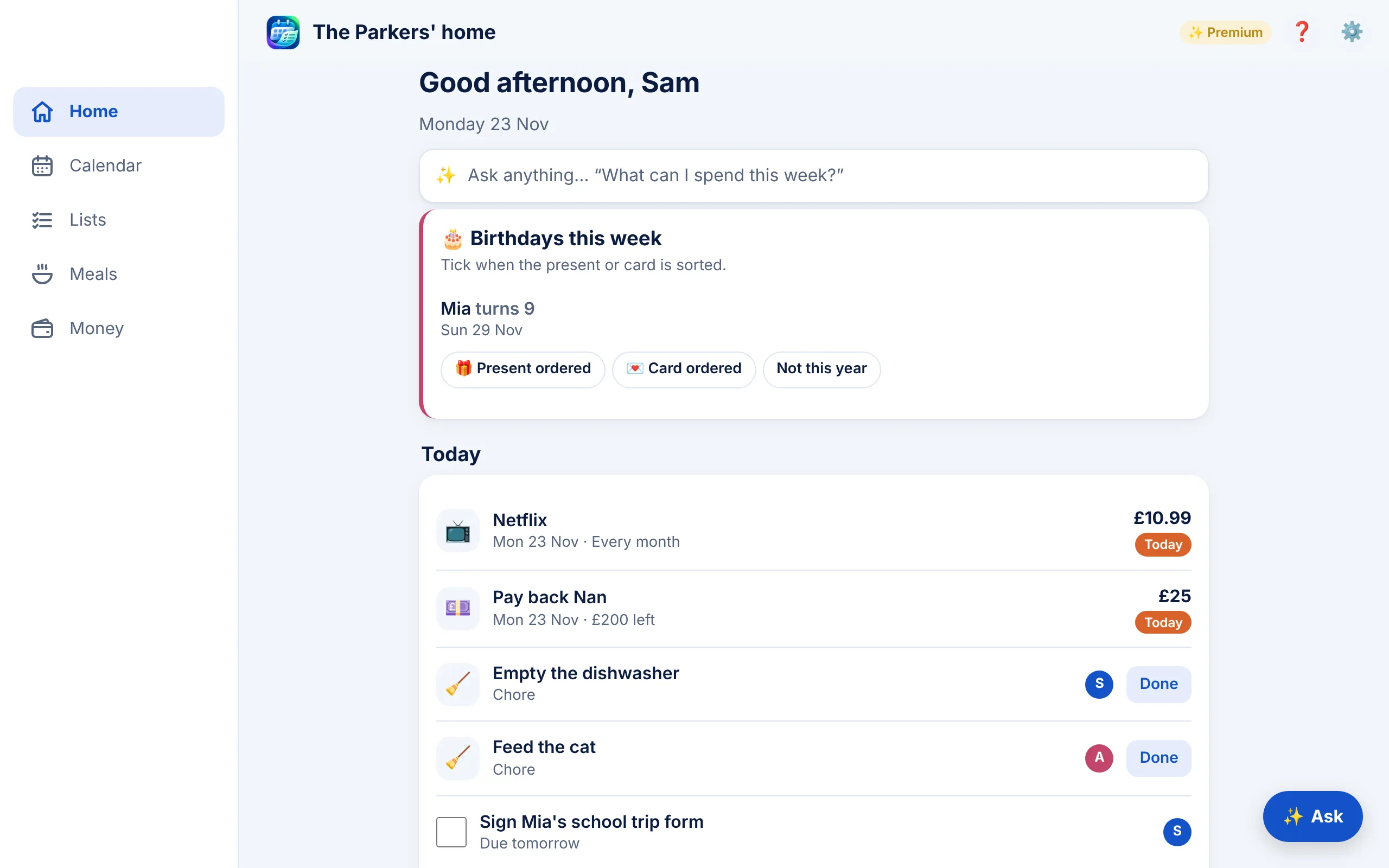
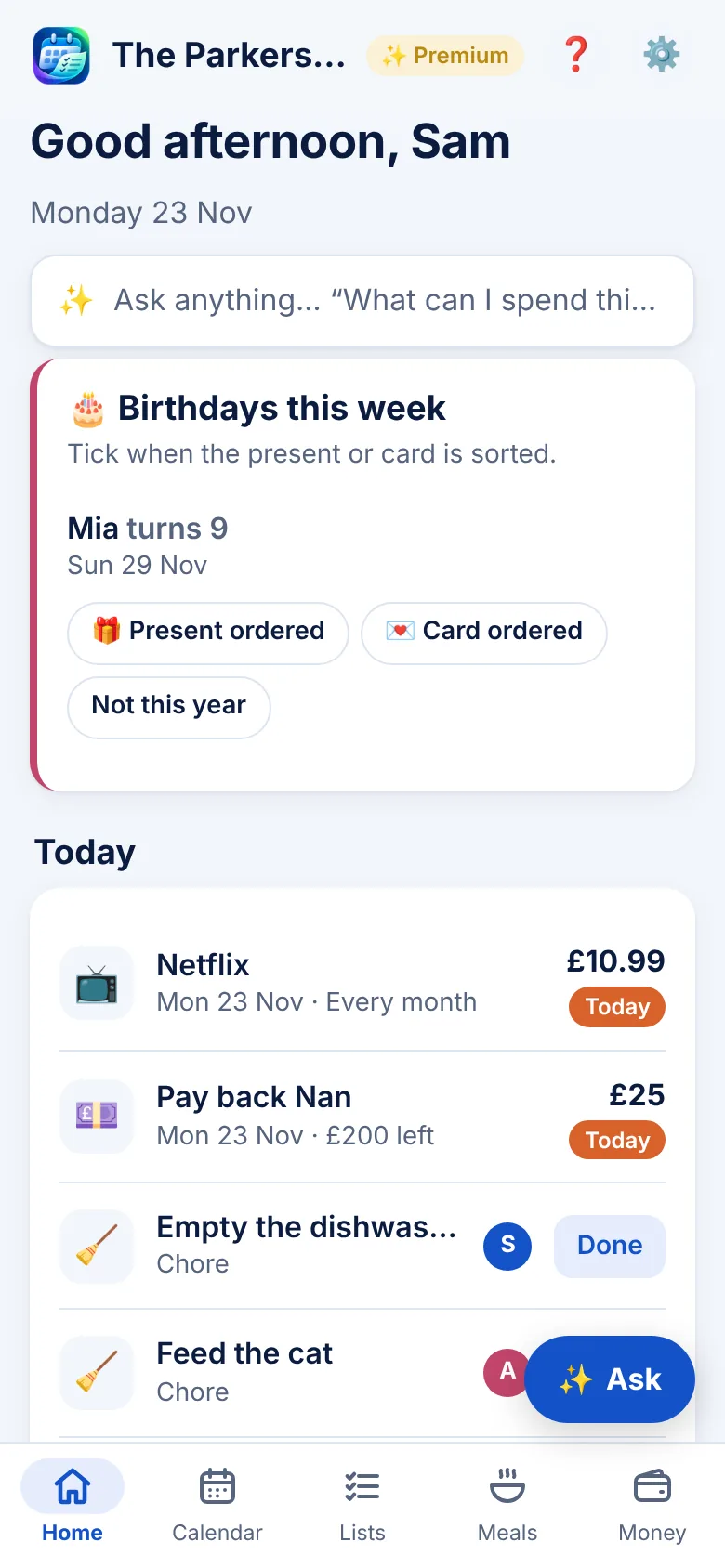
The things that run your home, finally together
No more calendar on the fridge, list on one phone and bills in your head. Everyone sees the same planner, live.
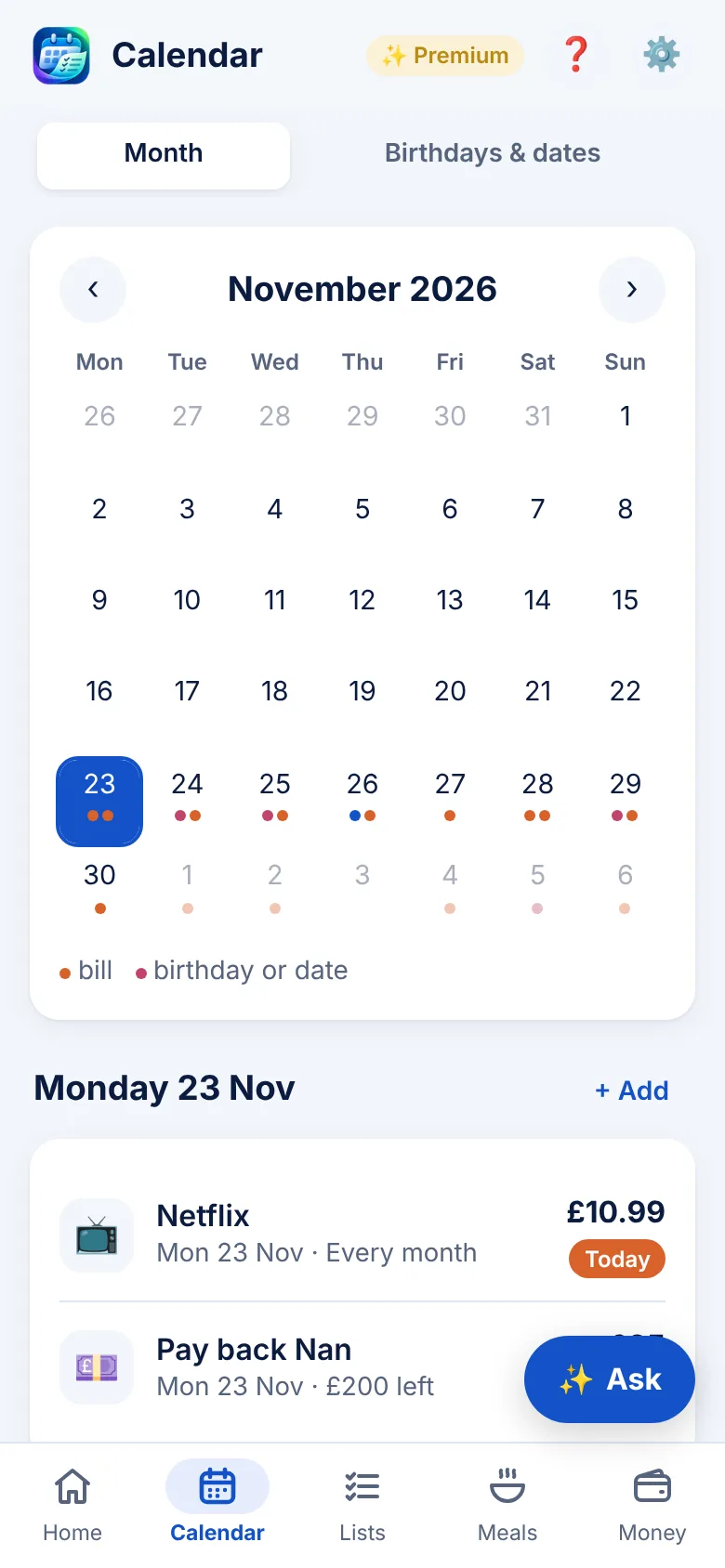
Everyone's plans, in one calendar
Birthdays, school dates, appointments and bills on one calendar, each person in their own colour.
- Birthdays repeat every year, with their age
- See whose plan each date is
- A nudge on your phone before it happens
- A Sunday look at the week ahead
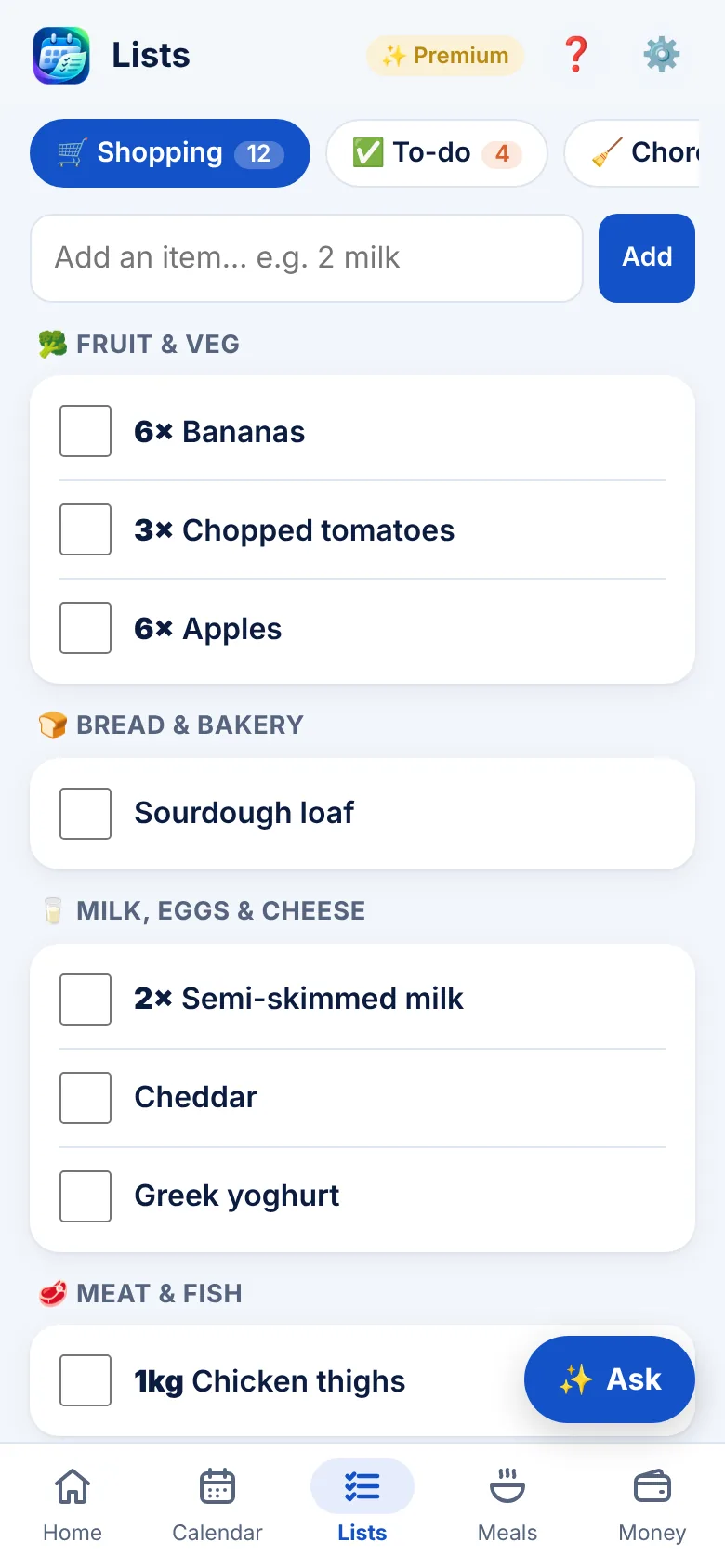
Shopping lists that sort themselves
Type "2 milk" and it lands in the right aisle. Your partner sees it straight away, and things tick off as you shop.
- Sorted by aisle, so you shop in one lap
- "Buy again" for the things you always get
- To-do lists with due dates and who's doing it
- Make your own lists: packing, Christmas, DIY
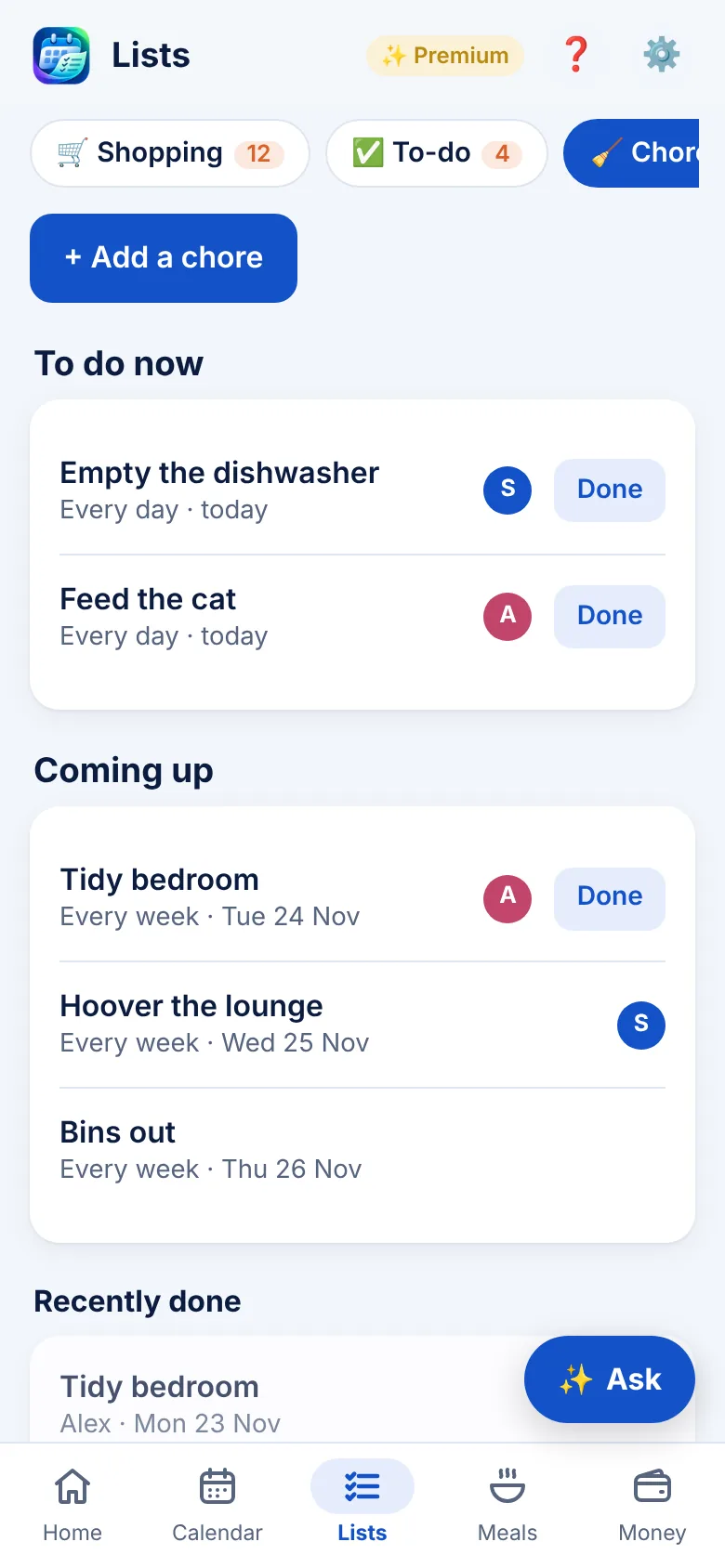
Share the jobs at home
Give each chore to someone, set how often it comes round, and tick it off when it's done. No more "I thought you were doing it".
- Daily, weekly or your own timing
- Each job comes back round by itself
- Undo if it was ticked by mistake
- Notes for the Wi-Fi, the boiler and the bins
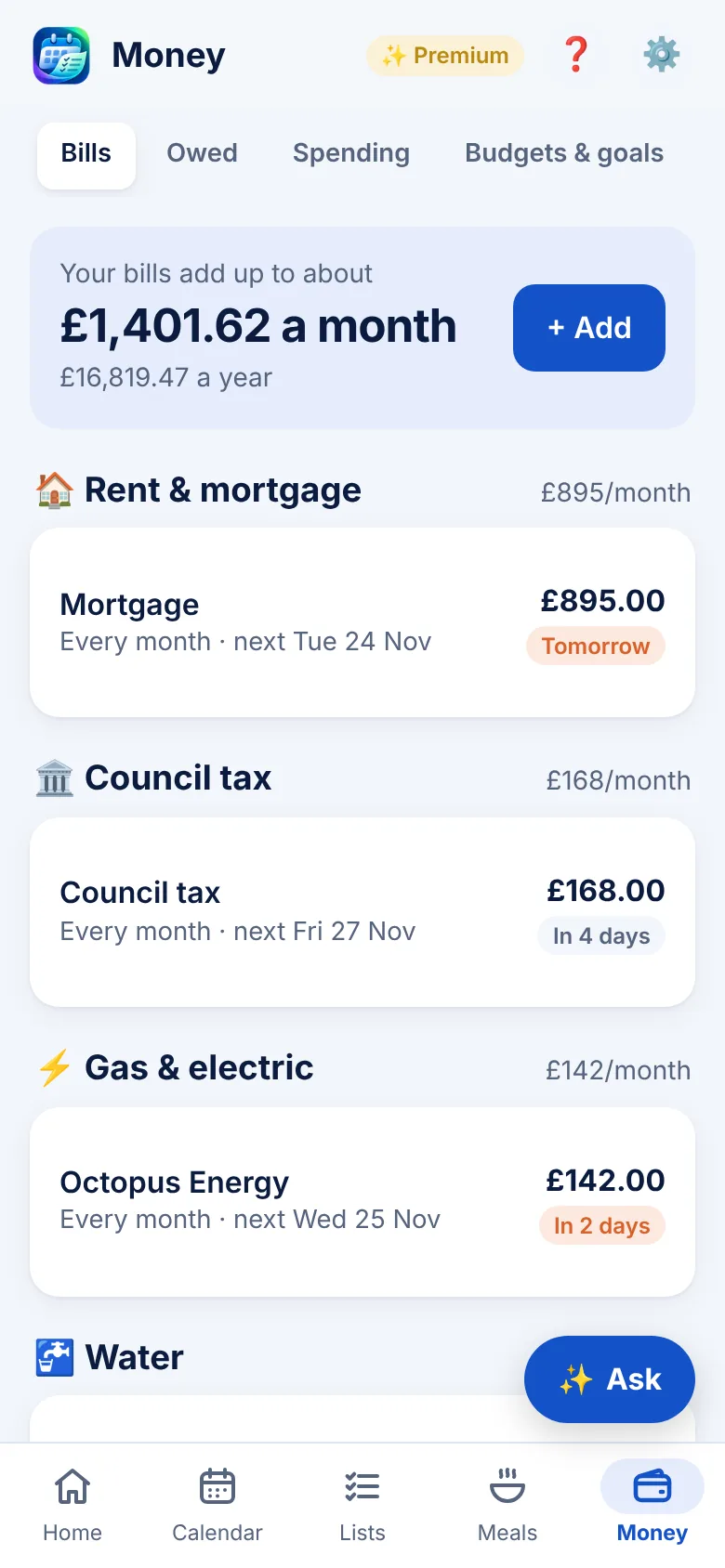
Know what's going out, and when
Every bill in one list with what it costs each month and a year. A reminder before each one goes out, so nothing catches you out.
- Weekly, monthly, yearly or every 8 weeks
- Mark a bill paid with one tap
- Your own categories, like "Swimming lessons"
- See this week's bills on the home screen
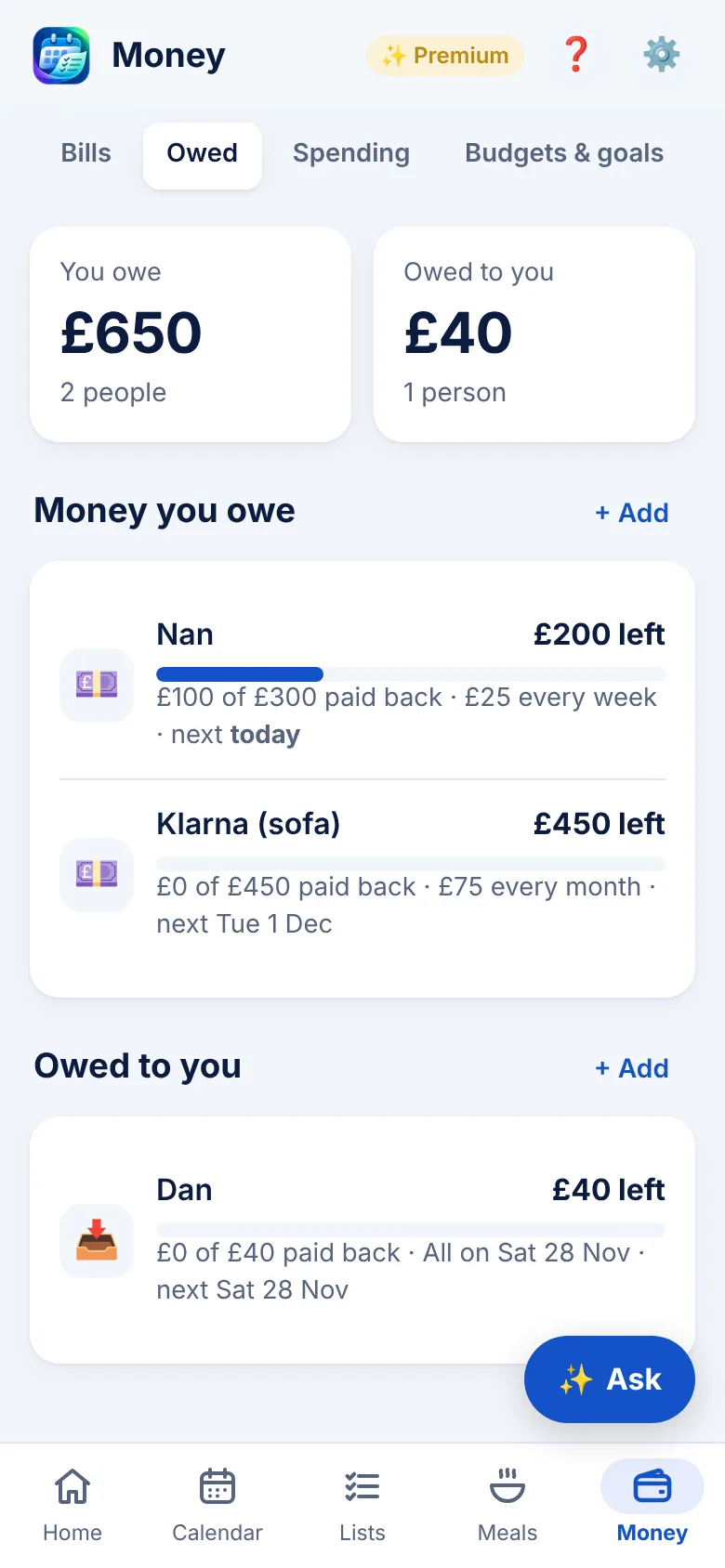
Money you owe, paid back on time
Borrowed £300 from Nan? Add it, choose to pay back £25 a week, a set amount each month or on one date, and see what's left. On the day, a friendly reminder: "Today you said you'd pay £25 back to Nan".
- Money you owe, and money owed to you
- Weekly, monthly, one date or your own timing
- Tap "Mark as paid" and watch the total go down
- Great for family loans and buy now, pay later
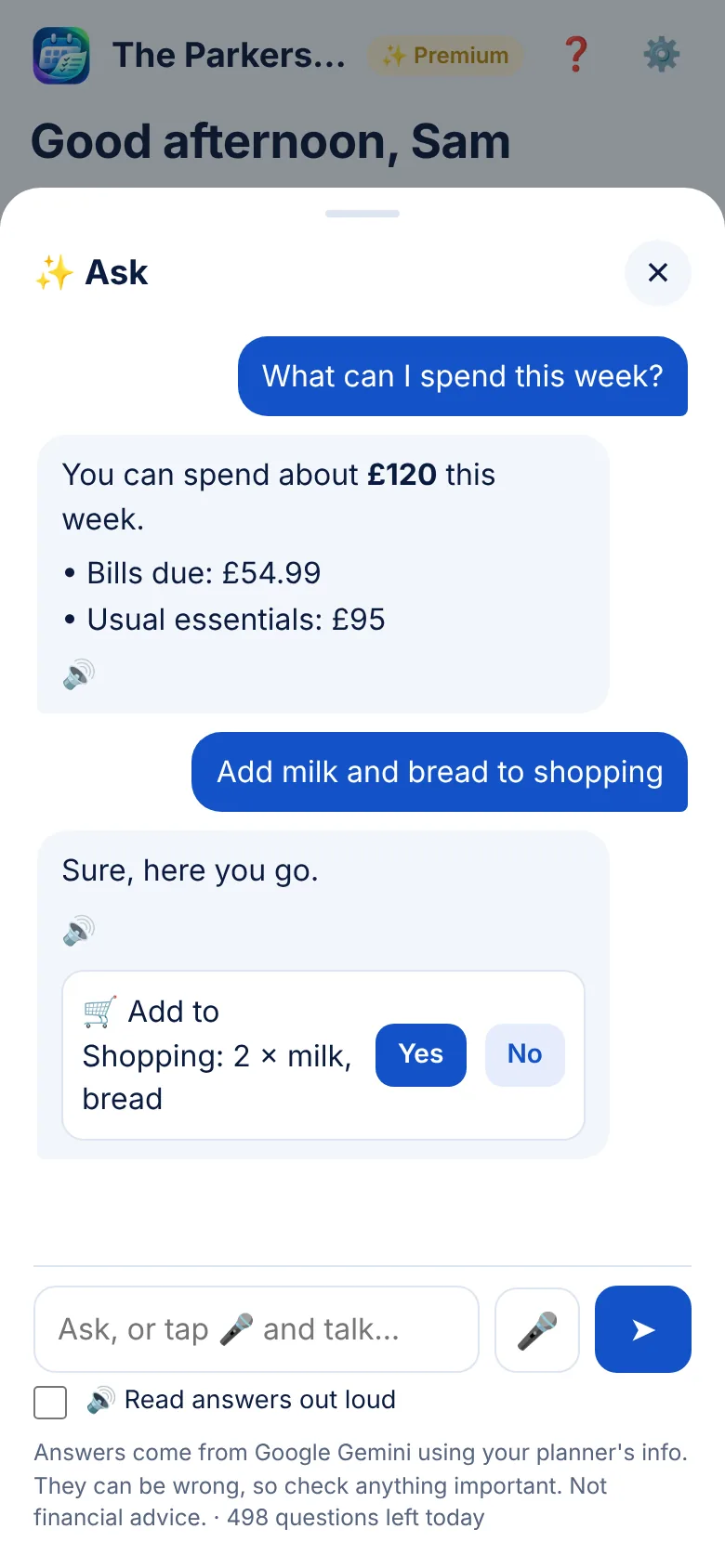
Just ask. It does the busywork.
Type what you need, like you'd ask a person. The assistant knows your planner, so it can answer and make changes for you. Nothing changes until you tap Yes.
- "What can I spend this week?"
- "How much is left to pay Nan?"
- "Add milk, eggs and bread to shopping"
- "Move Leo's dentist to Friday at 10"
- "Mark the dishwasher done by Mia"
- "That Spotify one isn't a double payment, hide it"
It can do almost everything in the app: lists, to-dos, dates, chores, notes, meals, recipes, bills, money owed, budgets and goals.
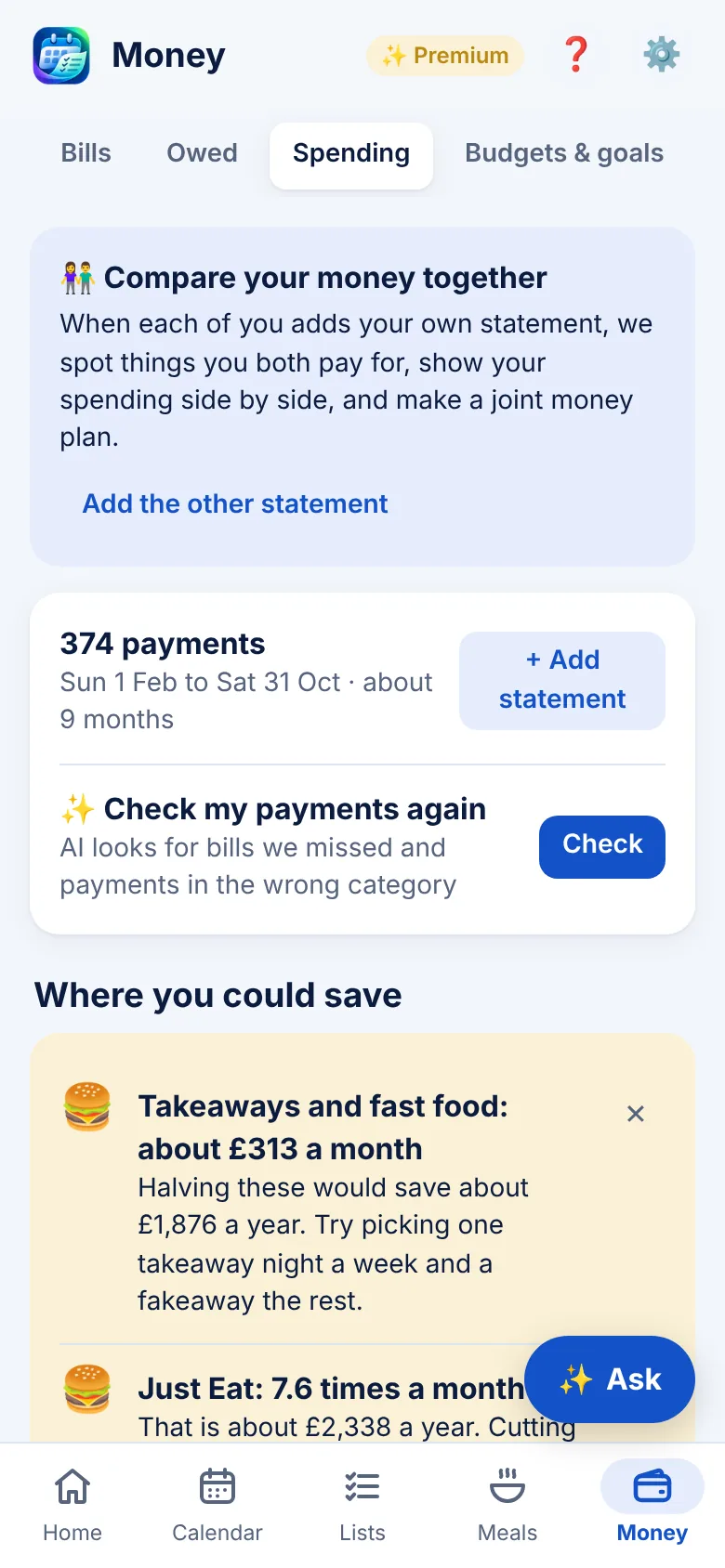
See where the money really goes
Add 6 to 12 months of bank statements from any UK bank. Legends Planner finds every regular bill, sorts your spending, and shows you kindly where you could save.
- Read on your own phone or computer: the statement is never uploaded
- Finds every regular bill, even every 8 weeks
- Takeaways, coffee and subscriptions, with what you'd save
- Couples mode: compare both your statements and spot things you're both paying for
- Monthly budgets and savings goals
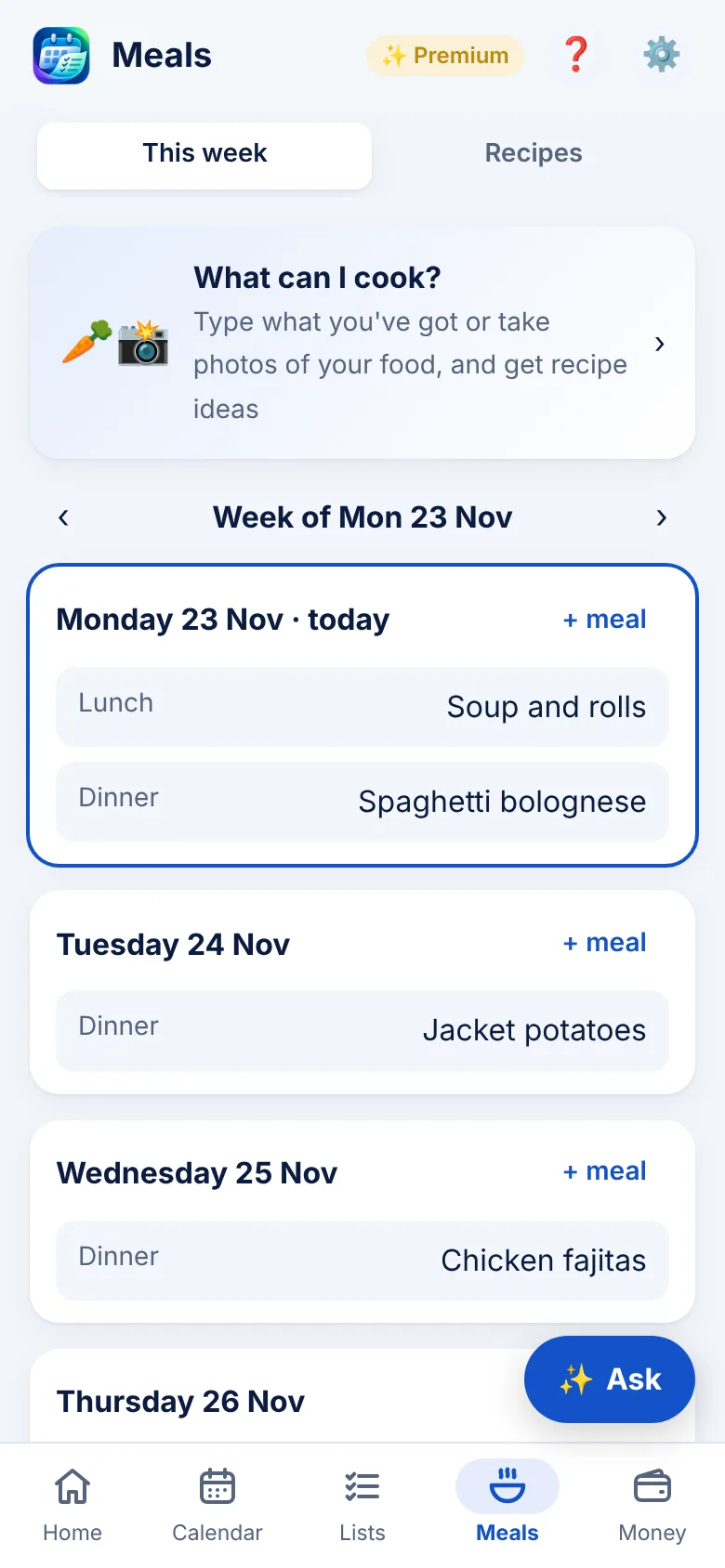
Dinner, planned
Plan the week's meals, keep your family's recipes in one place, and send the ingredients straight to the shopping list. Stuck for ideas? Snap the fridge and ask "What can I cook?"
- Photos of your food turn into recipe ideas, light or comfort food
- Calories and protein on every recipe
- Need one more thing? See which shops near you sell it
- Recipe box with ingredients and method
- One tap: the week's ingredients on the list
- Tonight's dinner on the home screen
The full list
Everything you get
Free features work for everyone in your home. Premium features are for 2 people: you and your partner.
📅 Calendar
- Month view and a list of dates
- Birthdays with ages, anniversaries
- School, appointments, holidays
- Each person in their own colour
📝 Lists and to-dos
- Shopping sorted by aisle
- "Buy again" suggestions
- To-dos with due dates
- Your own lists
🧹 Family and chores
- Invite your partner
- Shared chores
- Who does what
- Shared notes
🧾 Bills and money owed
- All your bills, any timing
- Money you owe or are owed
- Pay-back plans and reminders
- Mark paid with one tap
🔔 Reminders
- On your phone, at a time you pick
- Bills, dates, chores and to-dos
- Pay-back days
- A Sunday week ahead
🎨 Your own colours
- 12 light and dark themes
- Or match your phone automatically
- Everyone picks their own
- Android app on Google Play
✨ Assistant
- Ask anything about your planner
- "What can I spend this week?"
- Makes changes when you say Yes
- Works across the whole app
💷 Money insights
- Reads any UK bank statement
- Finds regular bills for you
- Where you could save
- Couples mode
🍽️ Meals, budgets and goals
- Weekly meal planner
- What can I cook? from photos
- Recipe box to shopping list
- Monthly budgets
- Savings goals with a monthly target
Pricing
Free for the family. Premium for the two of you.
Start free with everyone at home. Add Premium when you want the assistant and money tools.
Free
For everyone in your home
- Family calendar and birthdays
- Shopping lists and to-dos
- Shared chores
- Bills and phone reminders
- Money owed and pay-back plans
- Notes
✨ Premium
For 2 people: you and your partner
- Everything in Free
- The assistant you can just ask
- Bank statement reader and bill finder
- Where you could save
- Couples mode: compare both statements
- Meal planner and recipe ideas from photos
- Budgets and savings goals
Start inside the app under Settings → Premium. Cancel any time before the trial ends and you pay nothing.
Who does Premium cover? Premium is for two adults in a home: the person who pays and one other person they choose, usually a partner. Everyone else at home, like grandparents or housemates, keeps using the free planner with you.
Peace of mind
Safe, private and looked after
🔒 Your bank stays private
Statements are read on your own device. The file is never uploaded, and we never see your account number, sort code or balance.
🙅 No adverts, no selling
We never show adverts and never sell or share your information for marketing.
🇬🇧 A UK company
Made by Stanley Apps Ltd, registered in England and Wales and with the ICO (ZC291392).
🗑️ Yours to delete
Download everything or delete your account at any time from Settings.
Questions
Good to know
Is it really free?
Yes. The calendar, shopping lists, to-dos, chores, notes, bills, money owed and phone reminders are free for everyone in your home, with no adverts and no time limit.
What does Premium cost, and who does it cover?
£5.99 a month after a 3-day free trial. It covers 2 people: you and one other person in your home, usually your partner. Everyone else at home keeps the free planner.
Is it safe to add my bank statement?
Your statement is read on your own phone or computer and is never uploaded. Only the list of payments you choose to save is kept, so we never get access to your bank account.
Which banks does it work with?
Most UK banks' PDF statements, plus CSV downloads from any bank. If a statement doesn't read properly, tap Send a safe copy: names, numbers and amounts are scrambled on your phone first, and we'll fix it for your bank.
What can the assistant do?
Answer questions about your planner, like "what can I spend this week?" or "how much is left to pay Nan?", and make changes for you: add to lists, move dates, mark chores done, record payments and more. It always asks before changing anything. It's general guidance, not financial advice.
Is there an app?
Yes. The Android app is on Google Play, and the iPhone app is coming to the App Store very soon. Legends Planner also works in the browser on any phone or computer, and your family all see the same planner whichever they use.
How do reminders work?
Turn them on in Settings and pick the time of day. You'll get a note on your phone before bills, birthdays and dates, on chore and to-do days, and on the days you said you'd pay money back.
Can I cancel Premium?
Any time, in Settings → Premium. If you cancel during the free trial you won't pay anything.
Can I change the colours?
Yes. In Settings → Theme, pick from 12 light and dark themes, or Automatic to match your phone. Everyone at home can choose their own.
How do I delete my account?
In Settings → Your account → Delete my account. Step-by-step help.
Get your family sorted this week
Set up takes two minutes. Invite your partner and you're away.
Start free